Precision Hand-Drawn Clipping Path Service
Every anchor point hand-crafted in Adobe Photoshop. Never automated, never jagged, with 100% closed bezier curves for crisp, razor-sharp product cutouts starting from $0.39 per image.
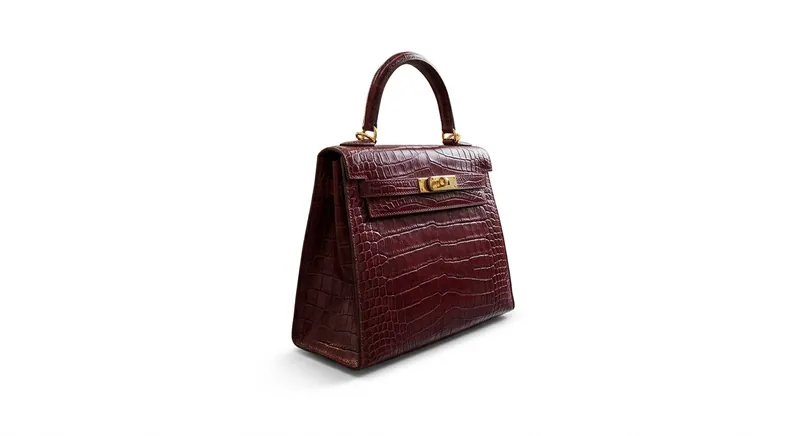
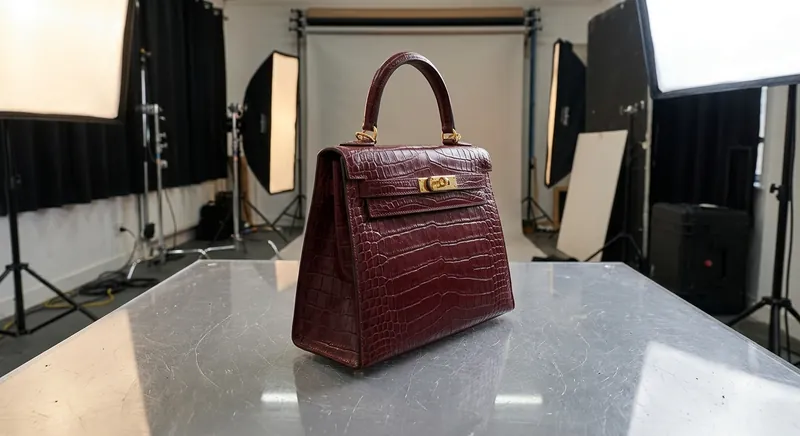
A clipping path is a closed vector outline created in Adobe Photoshop using the Pen Tool to isolate a 2D or 3D object from its original background. By defining smooth Bezier curves along the physical boundaries of the subject, it delivers 100% sharp, pixel-perfect cutouts on pure white (RGB 255, 255, 255) or transparent backgrounds without edge degradation.
What is a Professional Clipping Path?
A clipping path is a closed vector outline created in Adobe Photoshop using the Pen Tool. By drawing smooth Bezier curves along the exact physical boundaries of a product, our artists isolate the subject from its original background without pixelation, color fringing, or jagged artifacts.
Unlike automated AI background removal apps that estimate edges based on color contrast, human retouchers manually position vector nodes to preserve micro-curves, strap loops, metallic edges, and interior cutouts.
Complexity Levels & Per-Image Pricing
- Simple Clipping Path ($0.39 - $0.59): Smooth, regular curves without interior holes (e.g., footwear, books, mugs, simple canisters, electronics).
- Medium Clipping Path ($0.89 - $1.29): Irregular contours or multiple isolated cutout holes (e.g., bags with buckles, watches, apparel, furniture).
- Complex Clipping Path ($1.99 - $2.79): Intricate cutouts, bicycles, multi-item bundles, transparent glassware, and netted materials.
- Super Complex / Jewelry ($3.49 - $5.99): Diamond rings, necklaces, intricate filigree, chandeliers, and fine mesh.
Multi-Path Clipping for Color Correction
Need to change the colorway of a shoe, jacket, or watch dial without reshooting? We create multi-path PSD files with discrete vector layers for every component (e.g., sole, laces, leather body, metal hardware, logo). Your design team can adjust colors, shadows, and textures on individual components in seconds.
Deliverable Specifications
- Embedded Photoshop Paths (Saved as Path 1, Path 2 in standard PSD/TIFF)
- High-Resolution Transparent PNG (Alpha channel transparency)
- Marketplace Pure White JPEG (RGB 255, 255, 255) compliant with Amazon & Google Shopping
- Custom Drop, Natural Ground, or Mirror Reflection Shadows
Test Our Quality on Your Hardest Images
Send us 2 sample images today. We'll deliver hand-traced vector paths within 24 hours at zero cost.
Get 2 Free Sample Edits →